
Shopify Store Requirements
Before you start using ShipPrime, make sure your Shopify store meets these 5 requirements. Most sellers complete setup in under 10 minutes.
Already set up? Sign in to your dashboard.
Complete these 5 steps
Click each requirement to see the step-by-step guide with screenshots.
Follow these steps
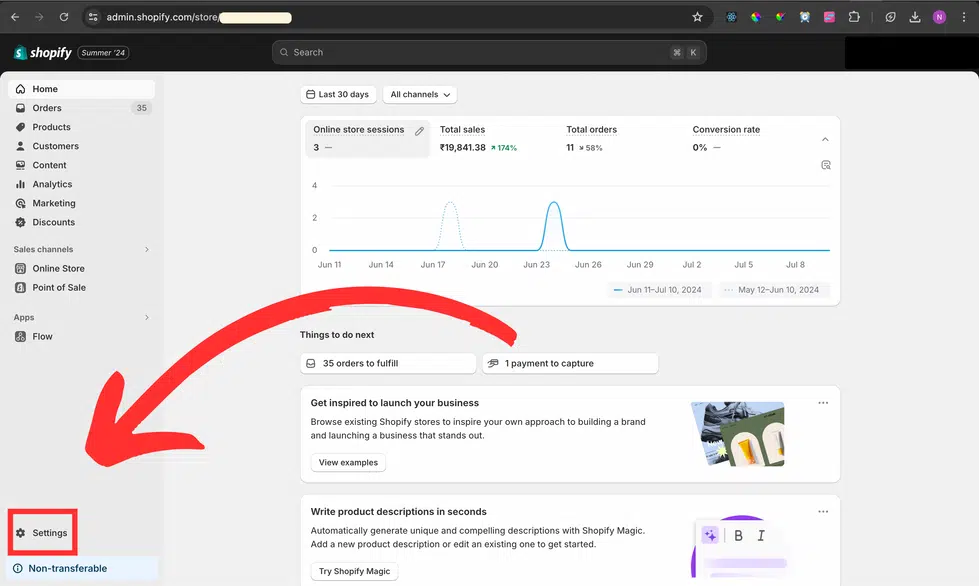
Go to your Shopify store admin and open 'Settings'.
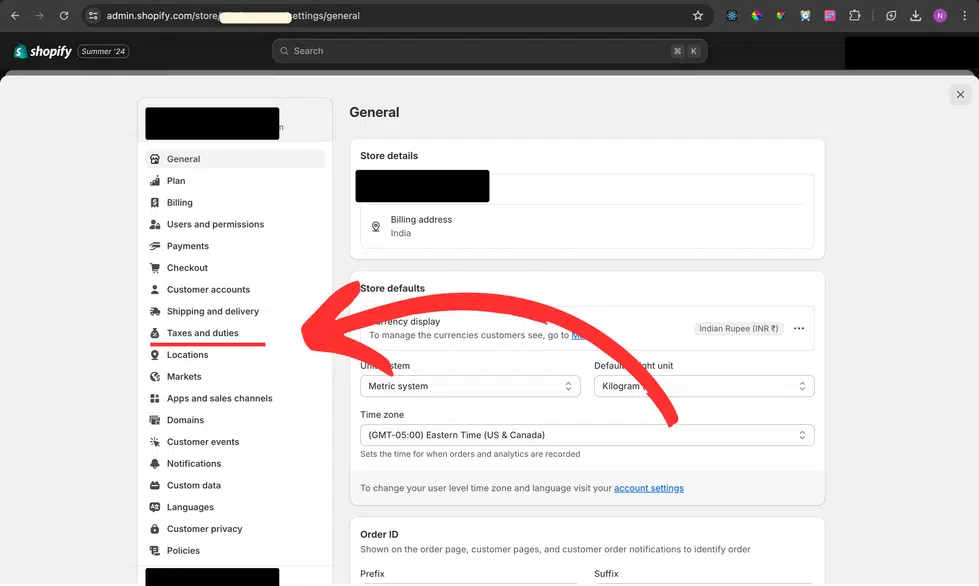
On the left side, select 'Taxes and duties.'
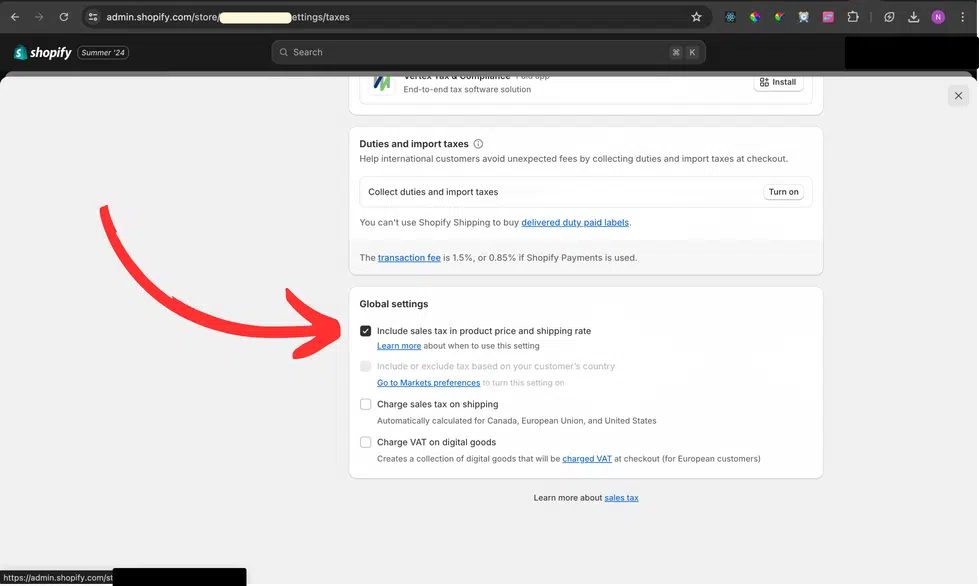
Scroll down to Global settings. Tick 'Include sales tax in product price and shipping rate.'
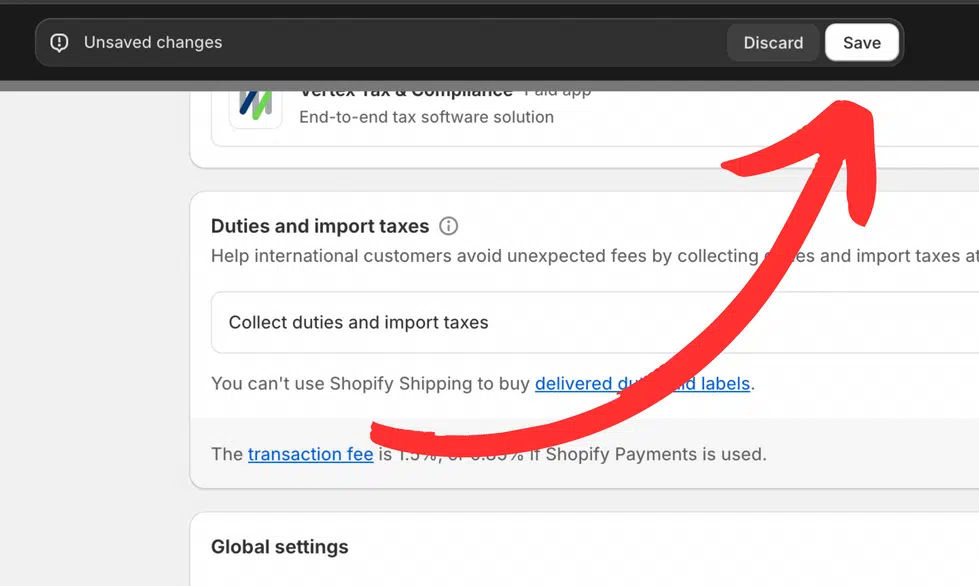
Save your settings and proceed to ShipPrime.
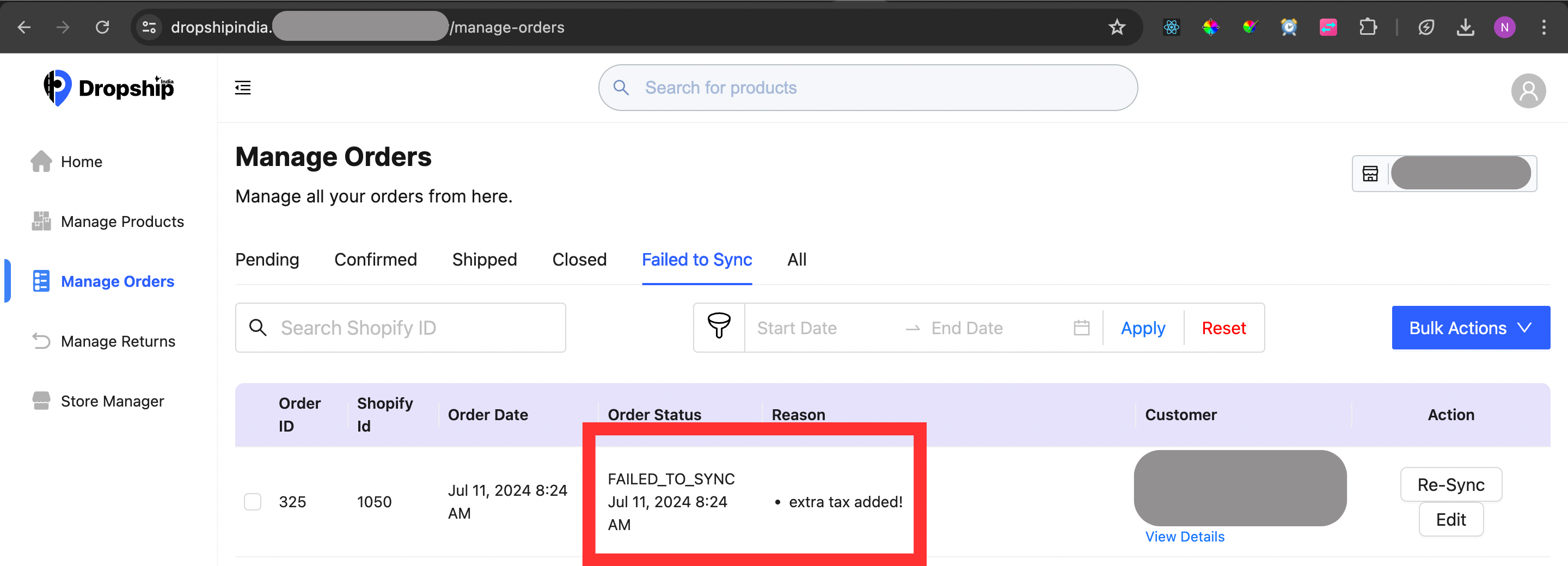
What if I don’t include sales tax in product price?
If you do not include tax in the product prices, our app will not consider and sync such orders and hence, they won’t be processed further.
Follow these steps
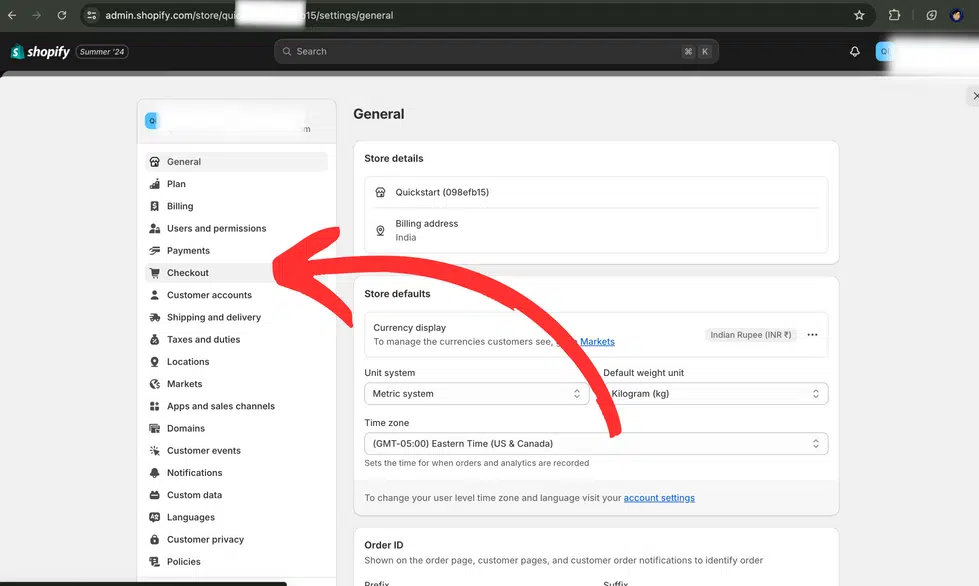
Go to your Shopify store admin and open 'Settings'.
On the left side, select 'Checkout'.
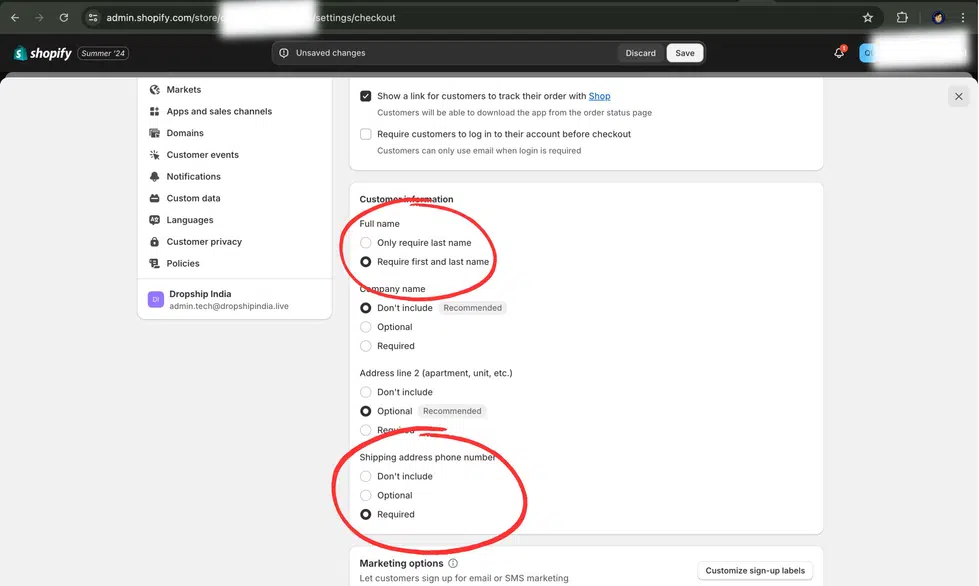
Scroll down to 'Customer Info' settings. Under 'Full name', select 'Require first and last name' and under 'Shipping address phone number' set the field as 'Required'.
Follow these steps
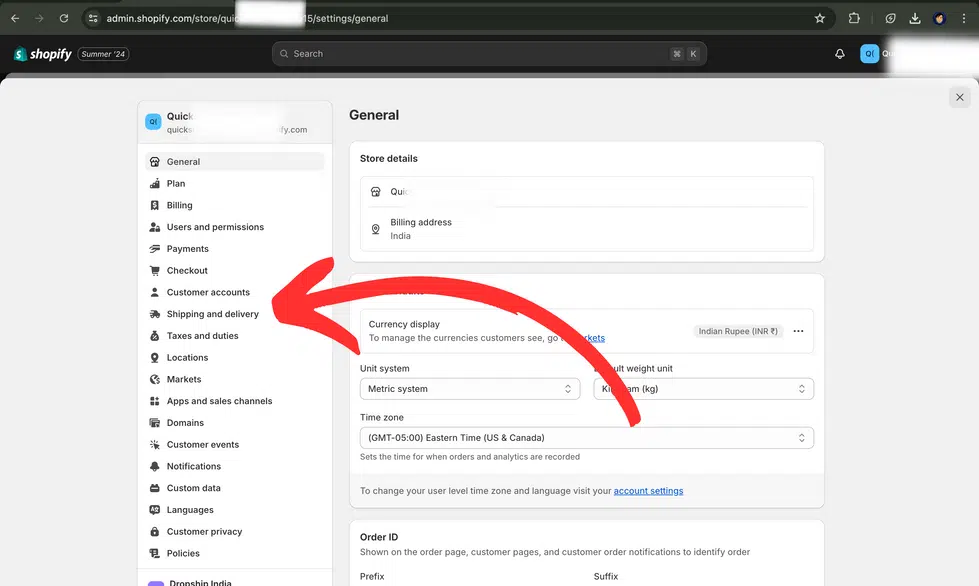
Go to your Shopify store admin and open 'Settings'.
On the left side, select 'Shipping and delivery'.
Go to 'General shipping rates'.
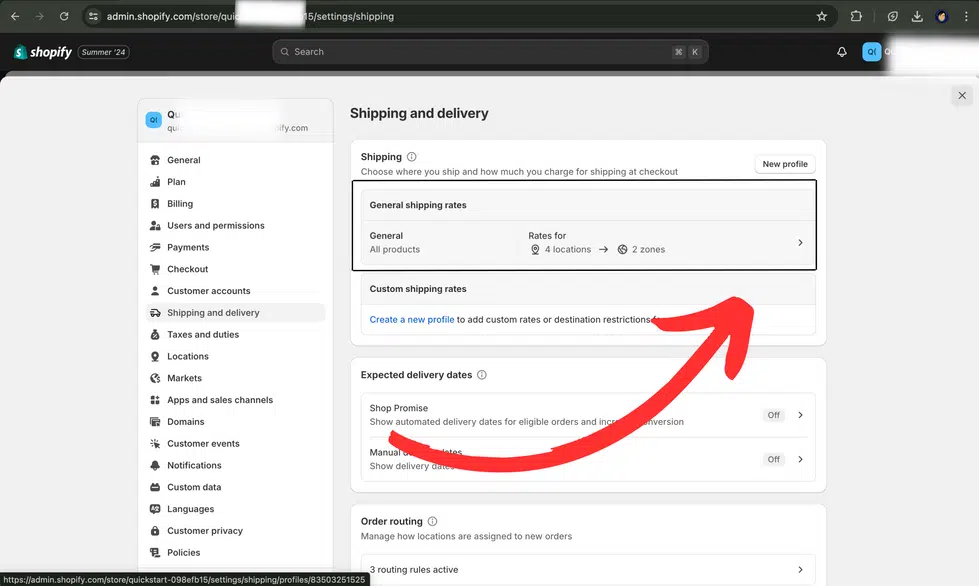
Remove any extra shipping charges other than standard FREE shipping and save.
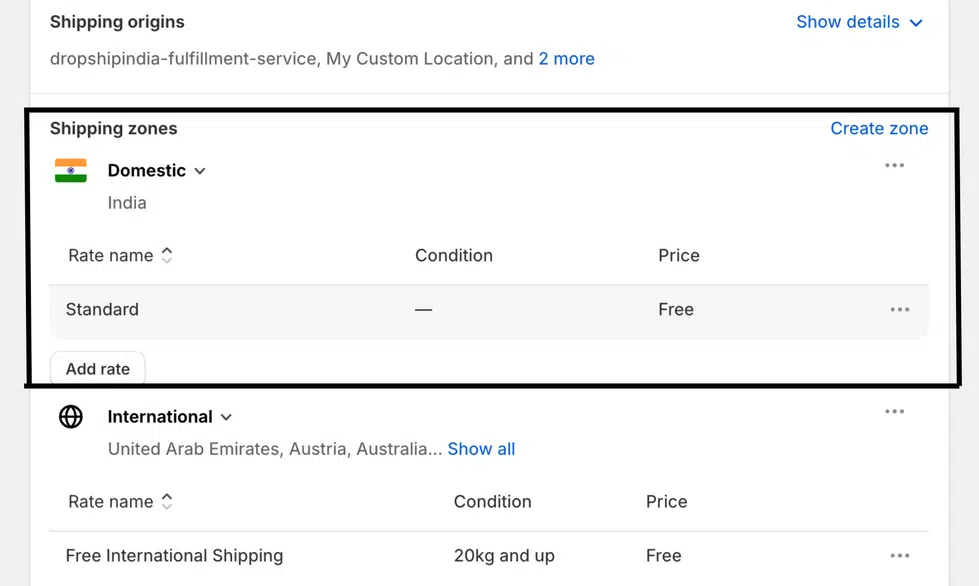
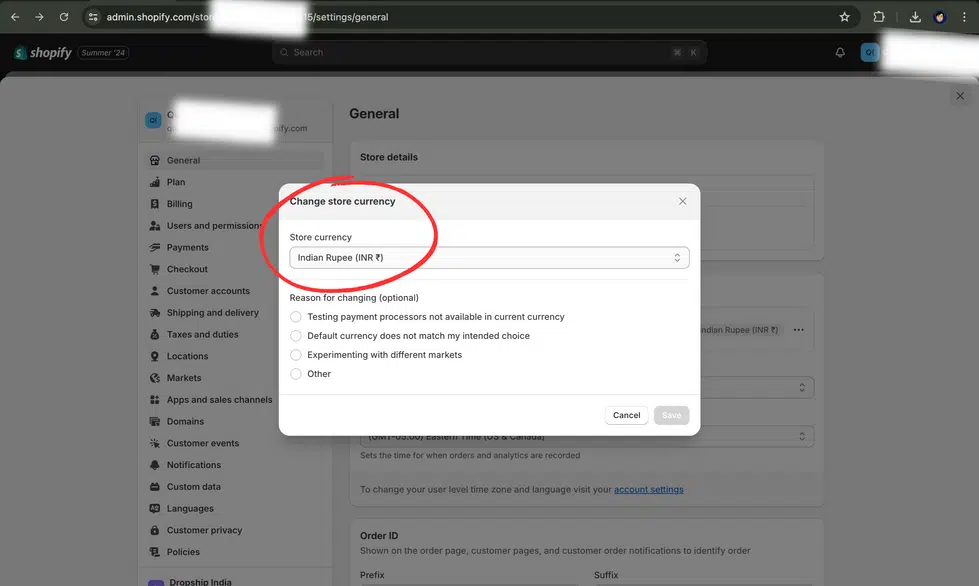
Follow these steps
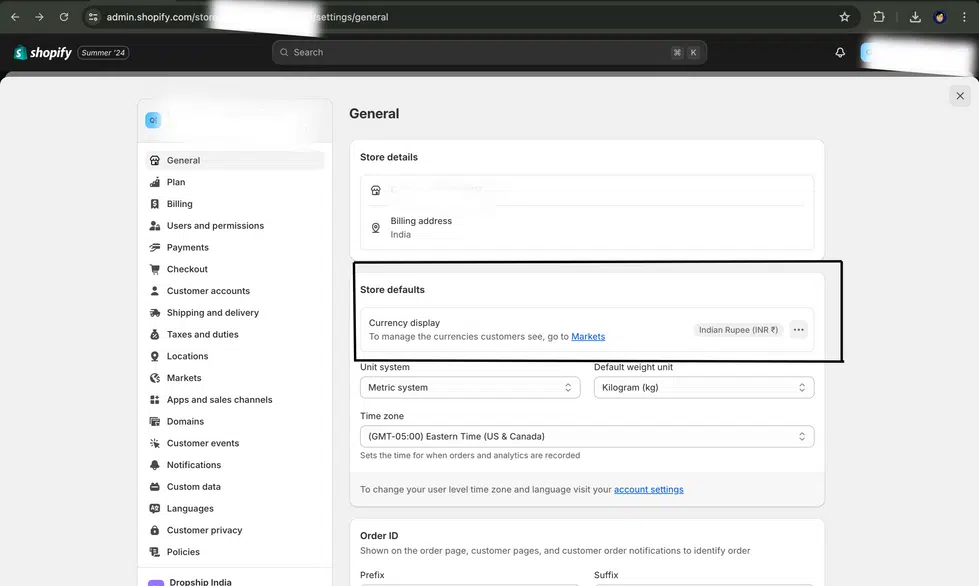
Go to your Shopify store admin and open 'Settings'.
Click the three dots next to 'Currency display' under 'Store defaults'.
Select 'Change store currency'.
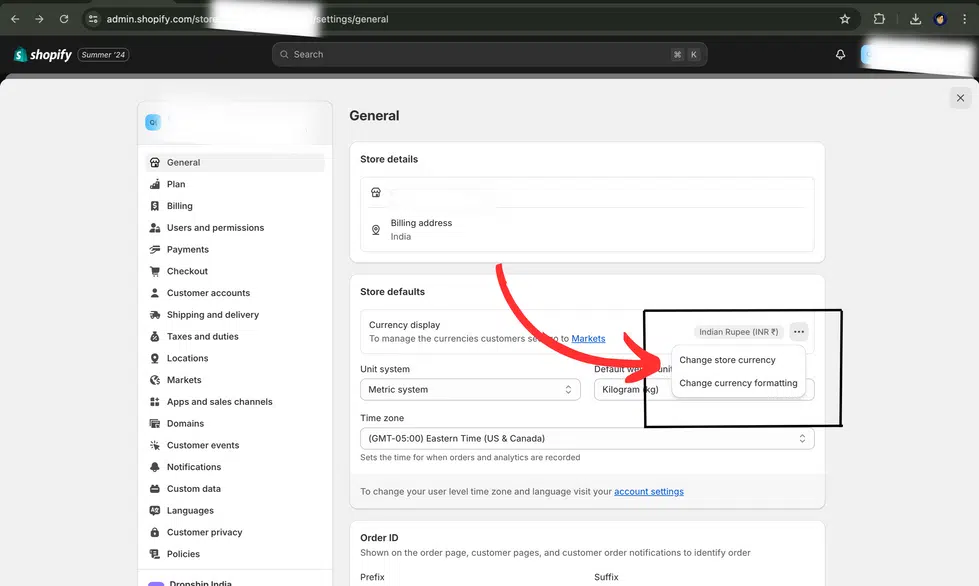
Now select 'Indian Rupee (INR ₹)' and save.
We do not provide international shipping services. All your customers must reside within India. Customer details including phone numbers (starting with +91 or a 10-digit number beginning with 6–9) and addresses must be local to India.
Frequently Asked Questions
Common questions about ShipPrime's Shopify store requirements.
Do I need to complete all requirements before using ShipPrime?
Yes. All requirements must be fulfilled for ShipPrime to correctly sync and process your Shopify orders. Incomplete setup may lead to failed syncs or order errors.
What happens if tax is not included in my product prices?
Orders where tax is not included in the product price will not be synced by ShipPrime. This is a mandatory requirement to ensure accurate order values and invoicing.
Can I use ShipPrime if my store currency is not INR?
No. ShipPrime currently supports only Indian Rupee (INR) as the store currency. You must change your Shopify store currency to INR before connecting to ShipPrime.
Why does ShipPrime need phone numbers to be mandatory?
Courier partners in India require a valid phone number for every shipment — for delivery coordination, OTP verification, and NDR (Non-Delivery Report) re-attempts. Without it, shipments cannot be processed.
Does ShipPrime support international shipping?
Currently, ShipPrime supports domestic shipping within India only. All customer addresses and phone numbers must be Indian.
Ready to Ship?
Once your Shopify store meets all requirements, connect to ShipPrime and start shipping with 15+ courier partners at rates starting ₹19/500g.